
Your First Lap Upload
If you're already recording laps on the track, you're most of the way there. Here are our lap video and upload best practices.
By Qualy
Welcome to Qualy! Lap uploads are the core of what we built this platform for. If you're already recording laps on the track, you're most of the way there. Below, we'll share some lap video & upload best practices.
Note - this is not a guide to your first track day, you can find that article here.
The Hardware
We don't need much for the lap upload process - just a video of your lap. Nearly every modern camera is capable of recording a lap clearly. We recommend a minimum of 60fps for the video, which your camera should be capable of.
Ideally, your camera should be mounted securely inside the car behind the driver - if not, a section-cup mount behind the driver is another common solution. We recommend a wind muffler for the camera in either case. While we don't require data acquisition or lap timers, it is a great tool for improving lap times and can support your lap upload. If you're using a phone or tablet that will display the time, it is ideal that the camera will have a shot of the timer in its view.
Beyond that, you'll just need a way of uploading your lap onto our site - phone or laptop will work fine. We intentionally left our platform as a website so users would not have to download another app.
The Lap
All we need is one continuous video clearly showing the lap and when your car crosses both the start and finish lines. As always, safely follow all track and organizing body guidelines - that is goal #1.
Once your session is over, select your cleanest and fastest lap for upload. Either:
- Trim your video to include just before and after the lap and upload it to YouTube, or
- Upload the full video and provide a clear timestamp for the start of the lap
The more detail you provide, the easier and quicker lap verification will be.
Upload
Before uploading, make sure you are registered for a cup. Qualy offers a Historical Open that users can register for and seasonal cups for competition.
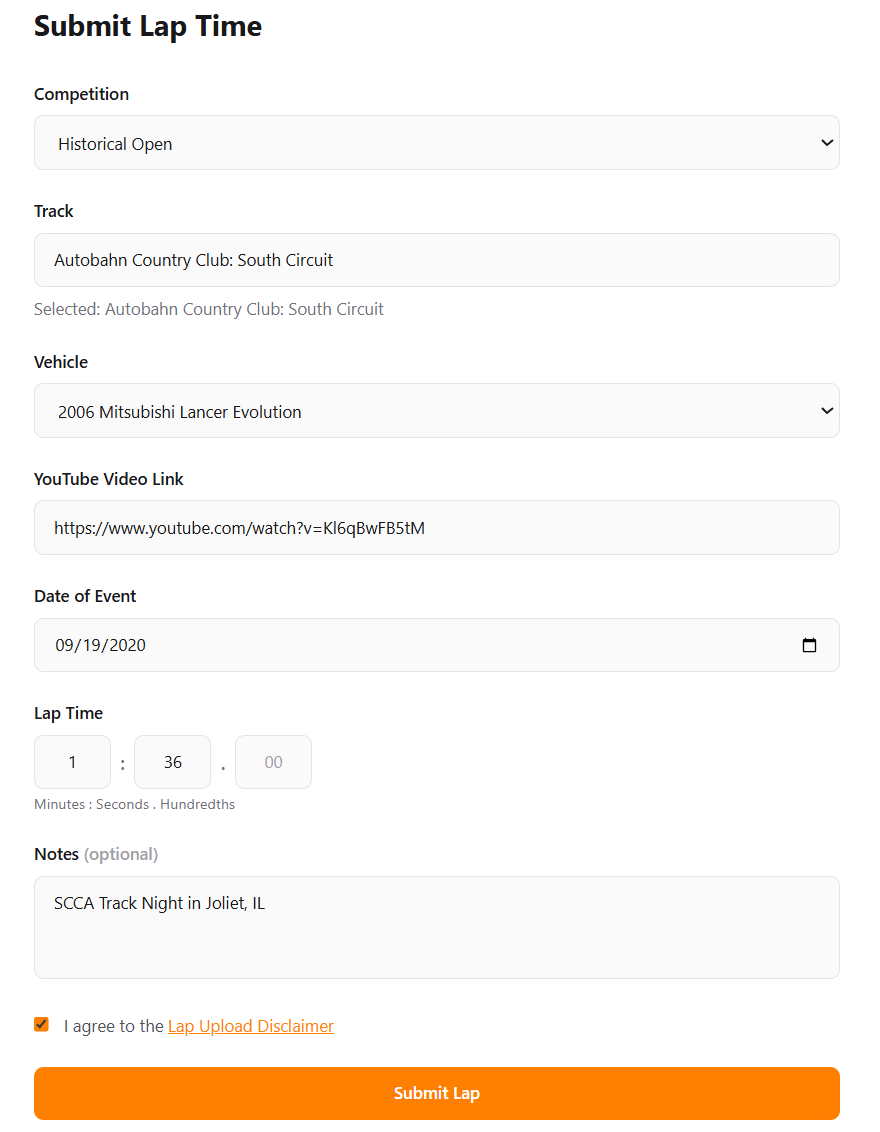
Upload your video to YouTube, as either public or unlisted. Qualy is not currently offering a video hosting service, so YouTube is required. Videos MUST be set to public or unlisted - otherwise, we are unable to verify the lap and it will be rejected. Once the lap is on YouTube, copy the share link and fill in our form.
Verify & Check the leaderboard
All laps will be verified and reviewed before appearing on the leaderboard.
For the Historical Open, approved laps will appear on the Driver Profile, the corresponding car in your Garage, and the all-time Leaderboard.
For the seasonal cups, drivers can upload laps during a roughly 3-month window. You are encouraged to visit as many tracks and submit as many laps as possible during this time. Only your fastest lap per track, per cup will count toward points. Once the seasonal cup closes, points are finalized and winners and prizes are announced. At the end of the Fall Cup, annual champions are crowned.